> ## Documentation Index
> Fetch the complete documentation index at: https://help.konfhub.com/llms.txt
> Use this file to discover all available pages before exploring further.
# Agenda
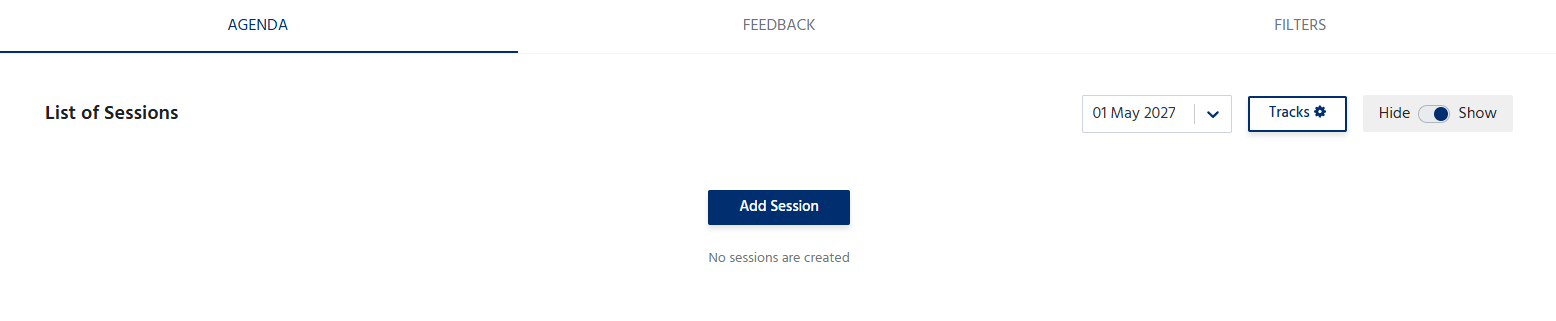
The **Agenda** section allows organizers to create and manage the event schedule. It provides attendees with a clear overview of the sessions, workshops, keynotes, and other activities planned throughout the event.
 ***
## Add an Agenda Item
To add a session or agenda item:
1. Click **Add Agenda**.
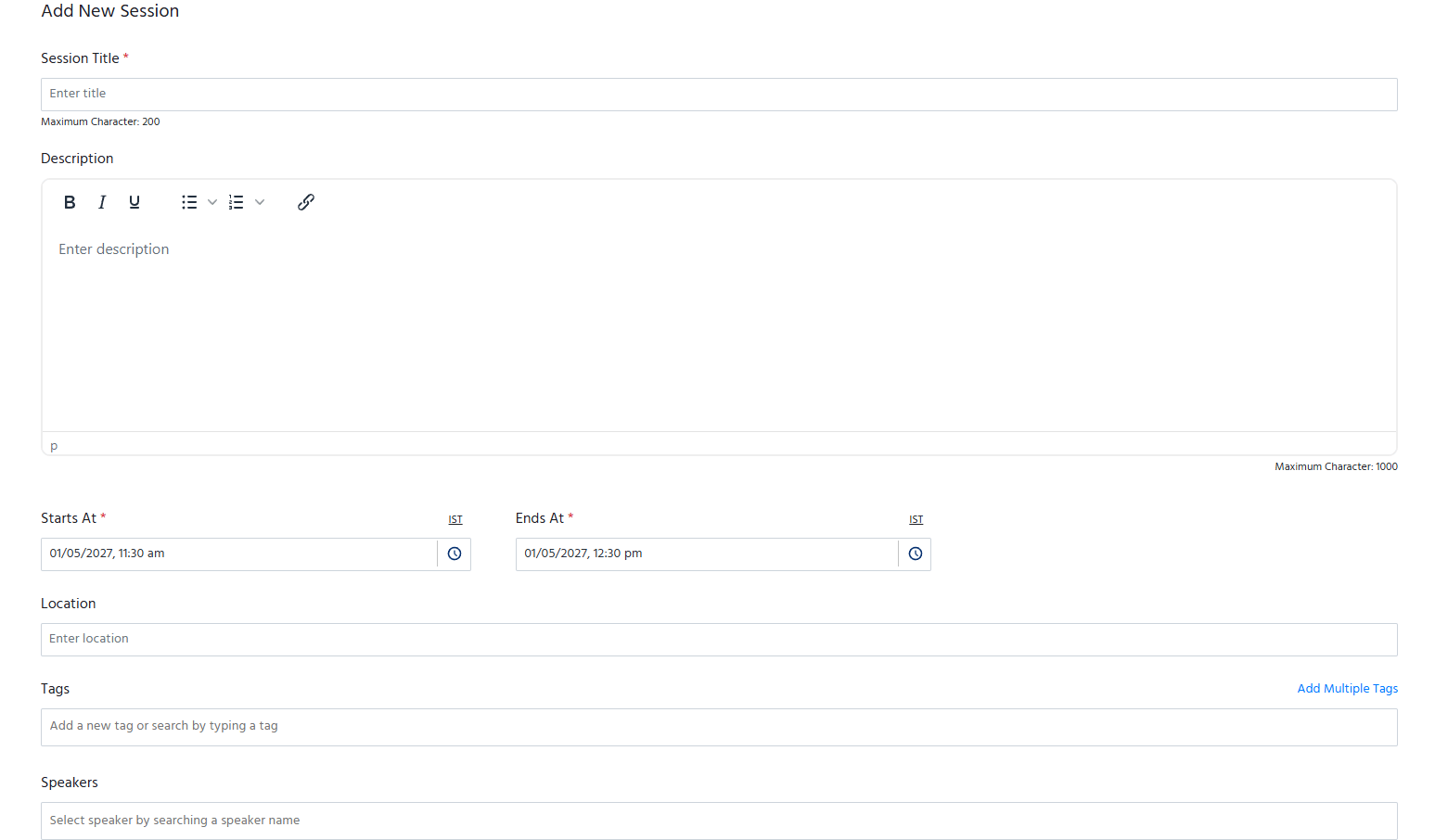
2. Enter the required details, such as:
* **Session Title** – Name of the session or activity.
* **Date** – Select the date of the session.
* **Start Time** and **End Time** – Specify the session duration.
* **Speaker(s)** – Assign one or more speakers to the session (if applicable).
* **Location/Stage** – Specify the venue, hall, room, or virtual stage.
* **Description** – Provide a brief overview of the session, including its objectives or key topics.
3. Save the agenda item to include it in the event schedule.
***
## Add an Agenda Item
To add a session or agenda item:
1. Click **Add Agenda**.
2. Enter the required details, such as:
* **Session Title** – Name of the session or activity.
* **Date** – Select the date of the session.
* **Start Time** and **End Time** – Specify the session duration.
* **Speaker(s)** – Assign one or more speakers to the session (if applicable).
* **Location/Stage** – Specify the venue, hall, room, or virtual stage.
* **Description** – Provide a brief overview of the session, including its objectives or key topics.
3. Save the agenda item to include it in the event schedule.
 ## Manage the Agenda
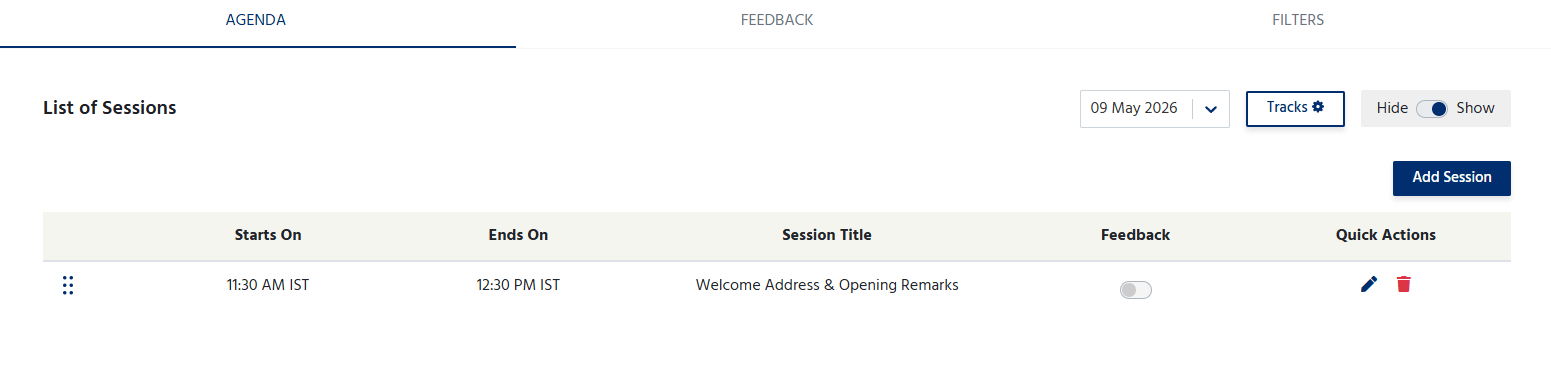
The Agenda section allows organizers to:
* Add multiple sessions or activities.
* Edit session details at any time.
* Delete sessions that are no longer required.
* Arrange sessions in chronological order.
* Update the schedule as the event plan evolves.
* You can even decide to hide or show the agenda on your event page.
## Manage the Agenda
The Agenda section allows organizers to:
* Add multiple sessions or activities.
* Edit session details at any time.
* Delete sessions that are no longer required.
* Arrange sessions in chronological order.
* Update the schedule as the event plan evolves.
* You can even decide to hide or show the agenda on your event page.
 ## Session Feedback
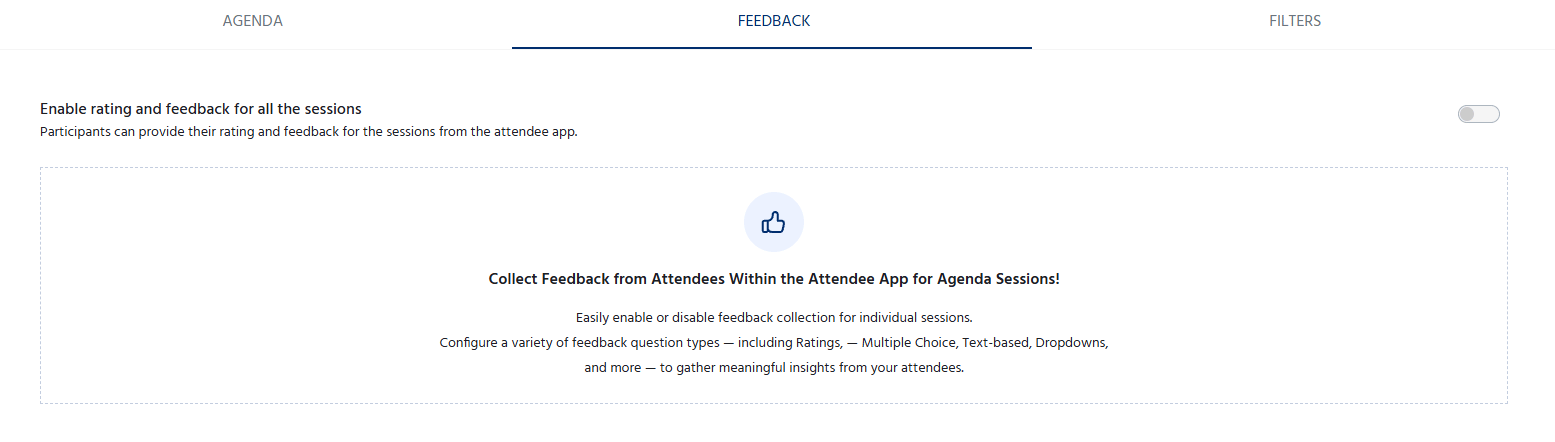 The **Feedback** tab allows organizers to collect ratings and feedback from attendees for individual agenda sessions through the attendee app. This feature helps organizers evaluate session quality, gather participant opinions, and identify areas for improvement.
To allow attendees to submit feedback:
1. Navigate to **Agenda > Feedback**.
2. Turn on the **Enable Rating and Feedback** toggle.
The **Feedback** tab allows organizers to collect ratings and feedback from attendees for individual agenda sessions through the attendee app. This feature helps organizers evaluate session quality, gather participant opinions, and identify areas for improvement.
To allow attendees to submit feedback:
1. Navigate to **Agenda > Feedback**.
2. Turn on the **Enable Rating and Feedback** toggle.