> ## Documentation Index
> Fetch the complete documentation index at: https://help.konfhub.com/llms.txt
> Use this file to discover all available pages before exploring further.
# Coupons
The **Coupons** section allows organizers to create and manage discount codes for event tickets. Coupons can be used to offer promotional discounts, early-bird offers, partner discounts, or exclusive pricing for specific attendees.
 ***
## Create a Coupon
To create a new coupon:
1. Click **Create Coupon**.
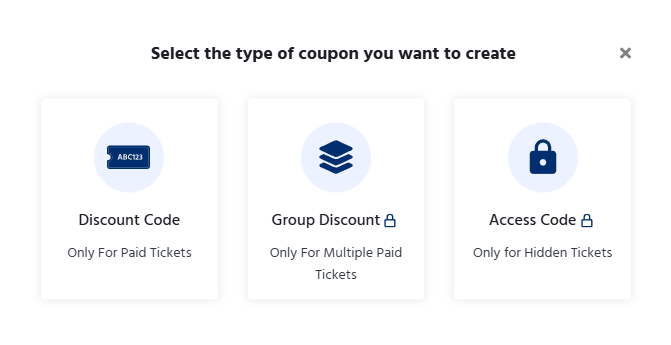
2. First select the type of coupon you want to create.
***
## Create a Coupon
To create a new coupon:
1. Click **Create Coupon**.
2. First select the type of coupon you want to create.
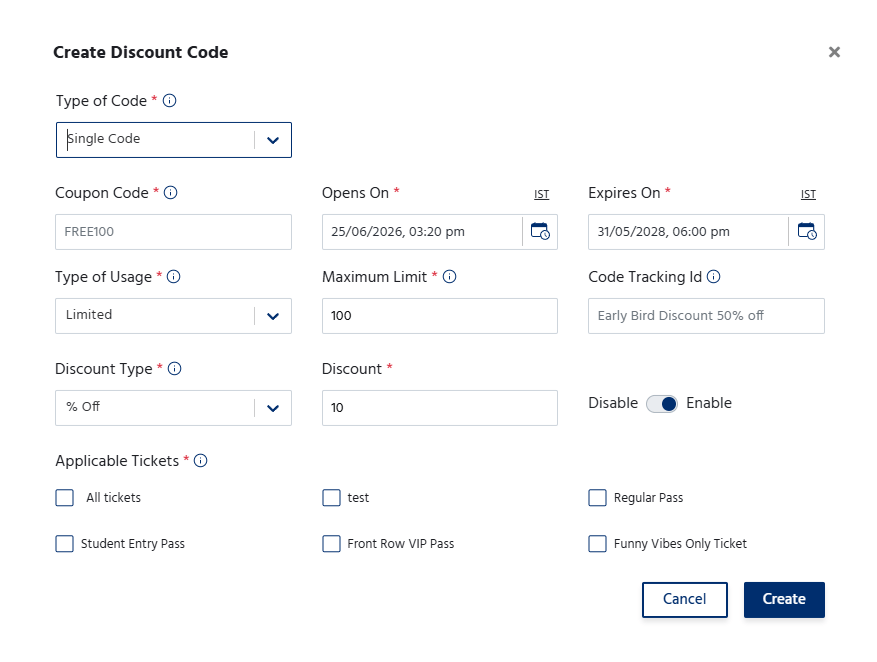
 3. Enter a unique **Coupon Code** that participants will use during checkout.
4. Select the **Discount Type**:
* **Flat Discount** – Deducts a fixed amount from the ticket price.
* **Percentage Discount** – Applies a percentage-based discount to the ticket price.
5. Specify the **Discount Value**.
6. Configure the coupon settings, such as:
* Applicable ticket(s)
* Usage limit (maximum number of redemptions)
* Coupon validity period (start and expiry dates)
* Minimum purchase amount (if applicable)
7. Save the coupon to make it available for participants.
3. Enter a unique **Coupon Code** that participants will use during checkout.
4. Select the **Discount Type**:
* **Flat Discount** – Deducts a fixed amount from the ticket price.
* **Percentage Discount** – Applies a percentage-based discount to the ticket price.
5. Specify the **Discount Value**.
6. Configure the coupon settings, such as:
* Applicable ticket(s)
* Usage limit (maximum number of redemptions)
* Coupon validity period (start and expiry dates)
* Minimum purchase amount (if applicable)
7. Save the coupon to make it available for participants.
 ## Coupon Management
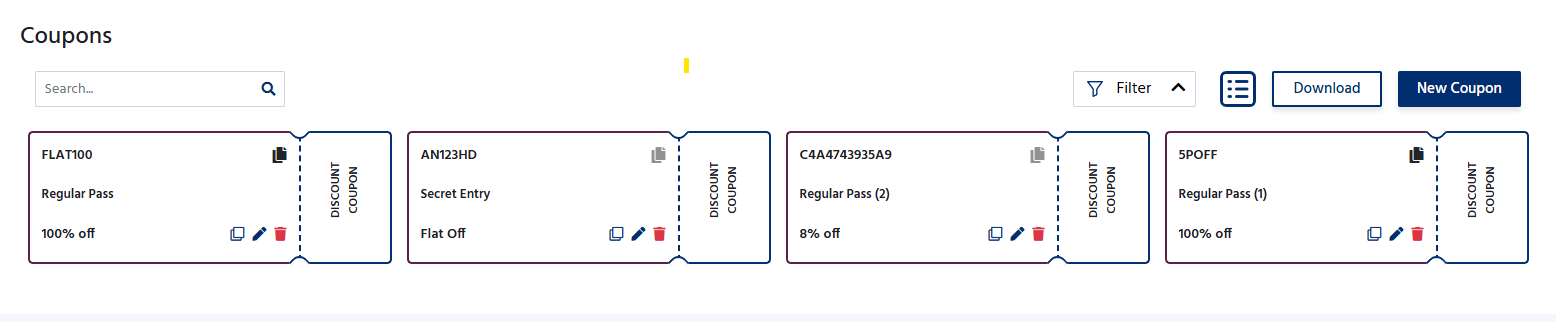
The Coupons page displays all created coupons along with their details.
From this section, organizers can:
* View all active and inactive coupons.
* Edit existing coupon details.
* Enable or disable coupons.
* Track the number of times each coupon has been used.
* Delete coupons that are no longer required.
## Coupon Management
The Coupons page displays all created coupons along with their details.
From this section, organizers can:
* View all active and inactive coupons.
* Edit existing coupon details.
* Enable or disable coupons.
* Track the number of times each coupon has been used.
* Delete coupons that are no longer required.
 ## Applying a Coupon
During registration, participants can enter a valid coupon code on the checkout page. If the coupon meets all eligibility conditions, the applicable discount is automatically applied to the order total.
Using coupons helps organizers promote early registrations. Offer exclusive discounts to sponsors, partners, or members.
## Applying a Coupon
During registration, participants can enter a valid coupon code on the checkout page. If the coupon meets all eligibility conditions, the applicable discount is automatically applied to the order total.
Using coupons helps organizers promote early registrations. Offer exclusive discounts to sponsors, partners, or members.