> ## Documentation Index
> Fetch the complete documentation index at: https://help.konfhub.com/llms.txt
> Use this file to discover all available pages before exploring further.
# Exhibitors
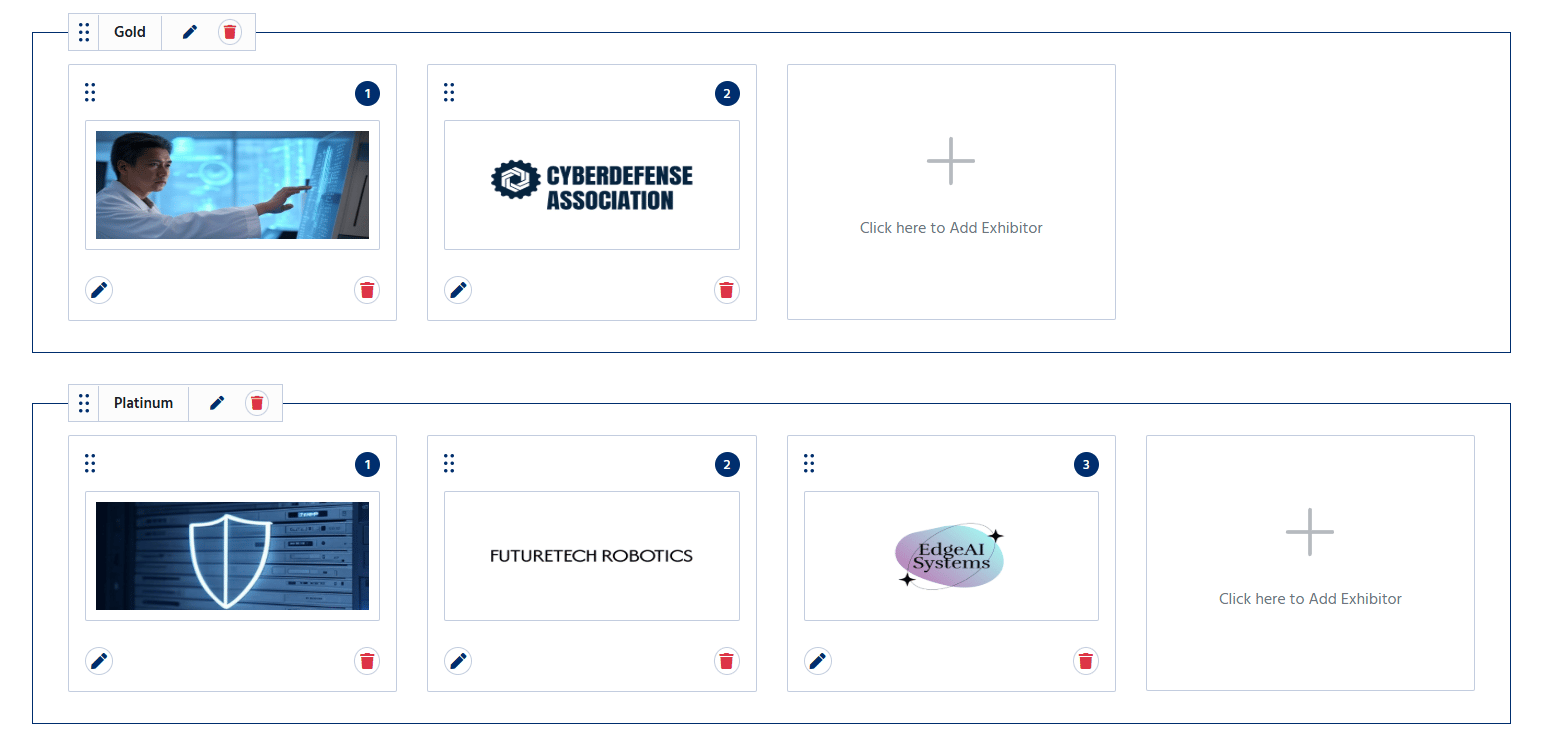
The **Exhibitors** section allows organizers to add and manage exhibitors participating in the event. This section showcases companies, brands, or organizations that are exhibiting their products or services, helping attendees discover and connect with them.
 ## Add an Exhibitor
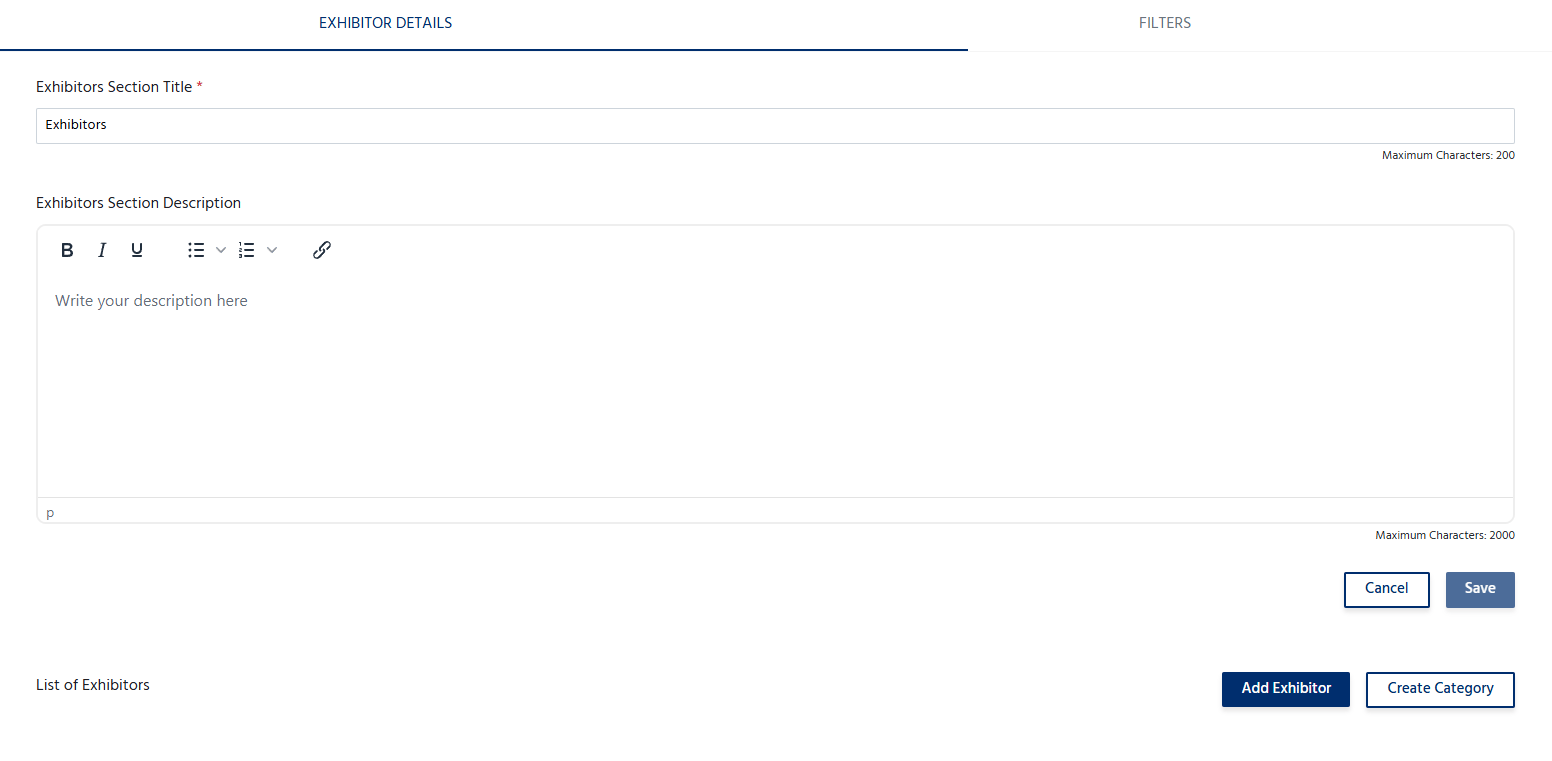
To add an exhibitor:
1. Navigate to the **Exhibitors** section.
2. Click **Add Exhibitor**.
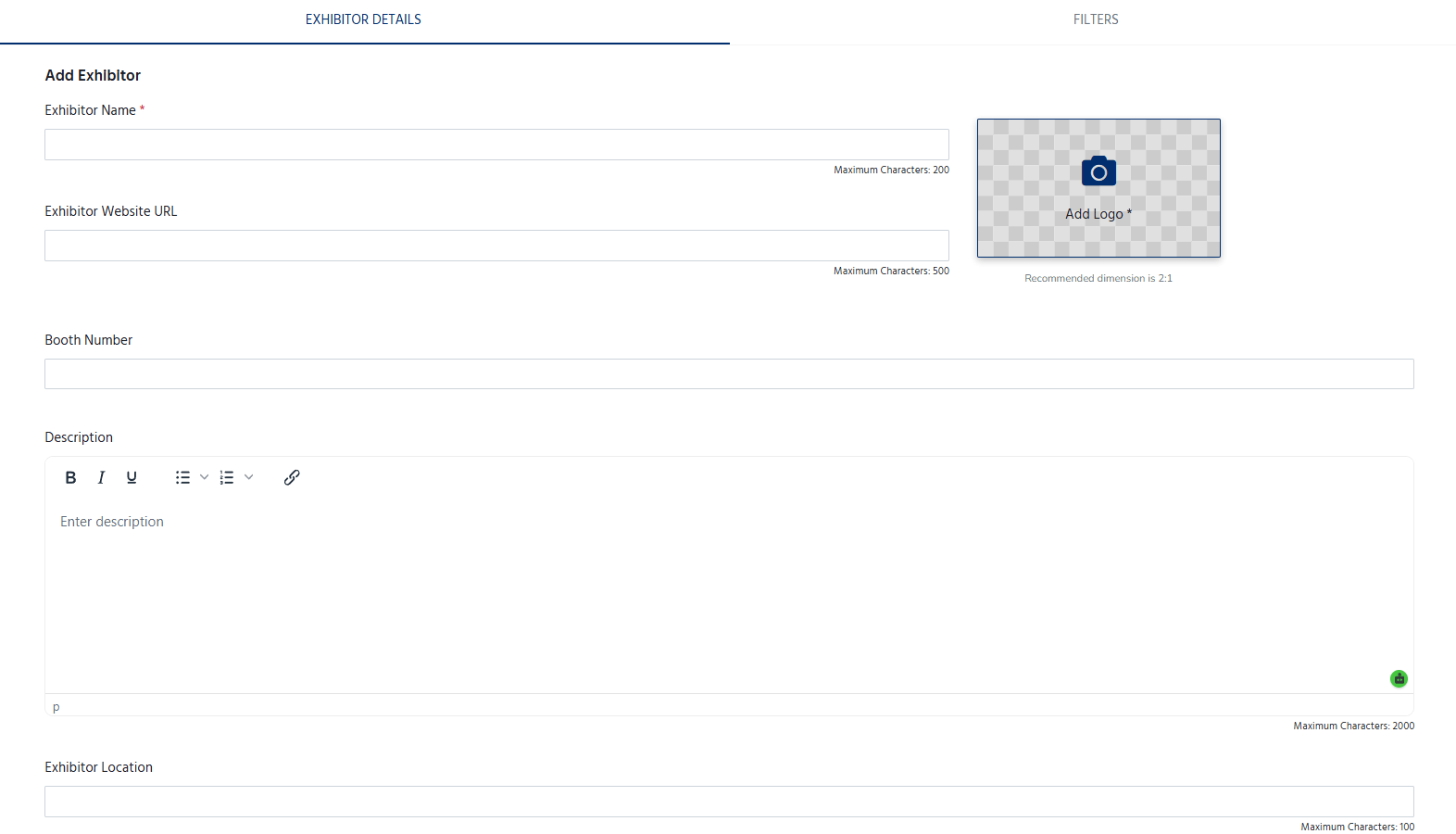
3. Enter the exhibitor's details, including:
* **Exhibitor Name** – The official name of the exhibiting company or organization.
* **Logo** – Upload the exhibitor's logo.
* **Description** – Provide a brief overview of the exhibitor, products, or services.
* **Website** – Add the exhibitor's official website (optional).
* **Contact Information** – Enter an email address or phone number for attendee inquiries (if applicable).
* **Booth Number/Location** – Specify the exhibitor's booth or exhibition area (if applicable).
## Add an Exhibitor
To add an exhibitor:
1. Navigate to the **Exhibitors** section.
2. Click **Add Exhibitor**.
3. Enter the exhibitor's details, including:
* **Exhibitor Name** – The official name of the exhibiting company or organization.
* **Logo** – Upload the exhibitor's logo.
* **Description** – Provide a brief overview of the exhibitor, products, or services.
* **Website** – Add the exhibitor's official website (optional).
* **Contact Information** – Enter an email address or phone number for attendee inquiries (if applicable).
* **Booth Number/Location** – Specify the exhibitor's booth or exhibition area (if applicable).
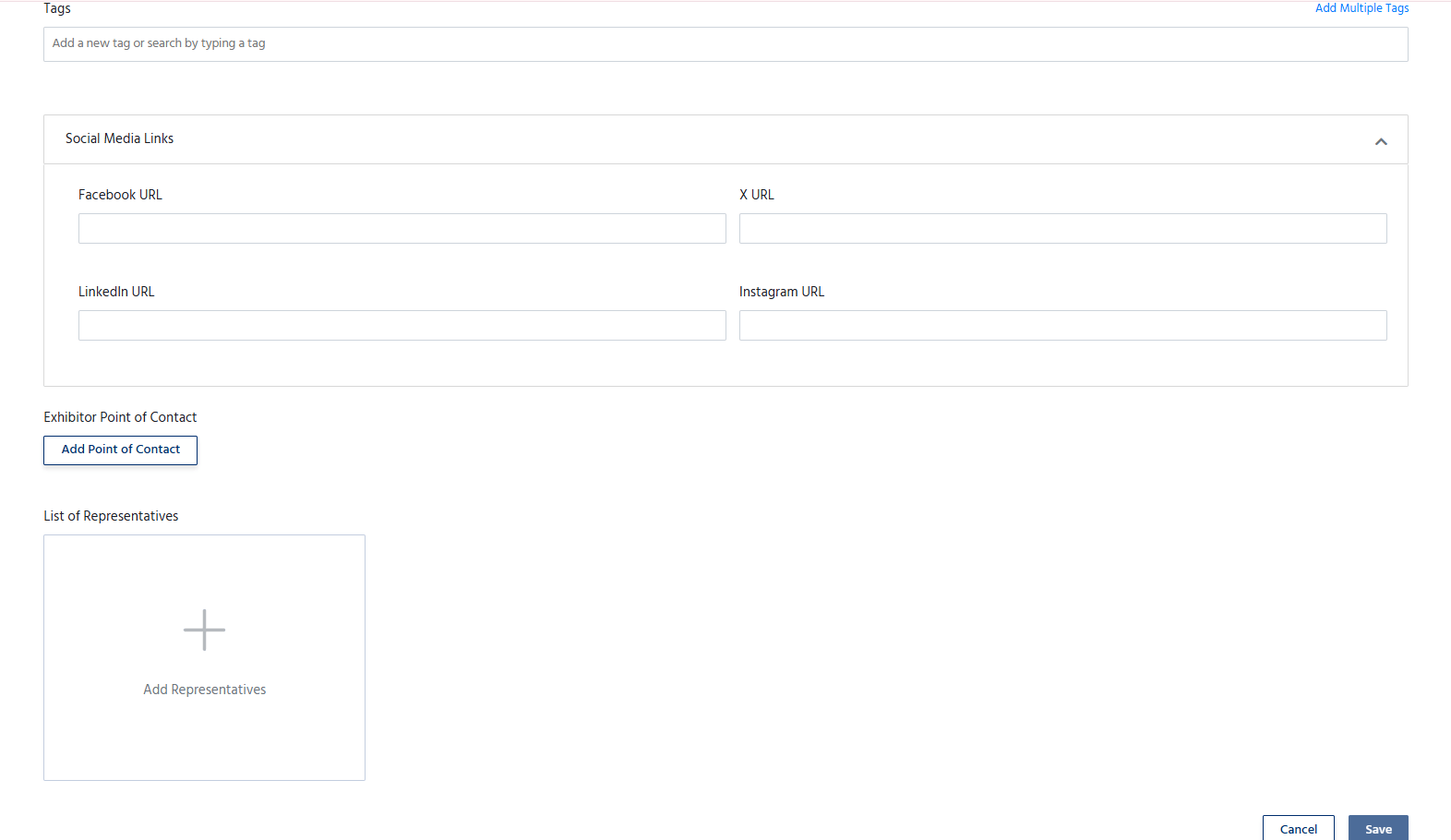
 4. Add the tags, Social Media link, Point of contact and representatives.
5. Click **Save** to publish the exhibitor on the event page.
4. Add the tags, Social Media link, Point of contact and representatives.
5. Click **Save** to publish the exhibitor on the event page.
 ## Manage Exhibitors
The Exhibitors section allows organizers to:
* Add multiple exhibitors.
* Edit exhibitor information at any time.
* Update logos, descriptions, websites, or contact details.
* Remove exhibitors who are no longer participating.
* Organize the display order of exhibitors, if supported.
## Manage Exhibitors
The Exhibitors section allows organizers to:
* Add multiple exhibitors.
* Edit exhibitor information at any time.
* Update logos, descriptions, websites, or contact details.
* Remove exhibitors who are no longer participating.
* Organize the display order of exhibitors, if supported.