> ## Documentation Index
> Fetch the complete documentation index at: https://help.konfhub.com/llms.txt
> Use this file to discover all available pages before exploring further.
# Modules
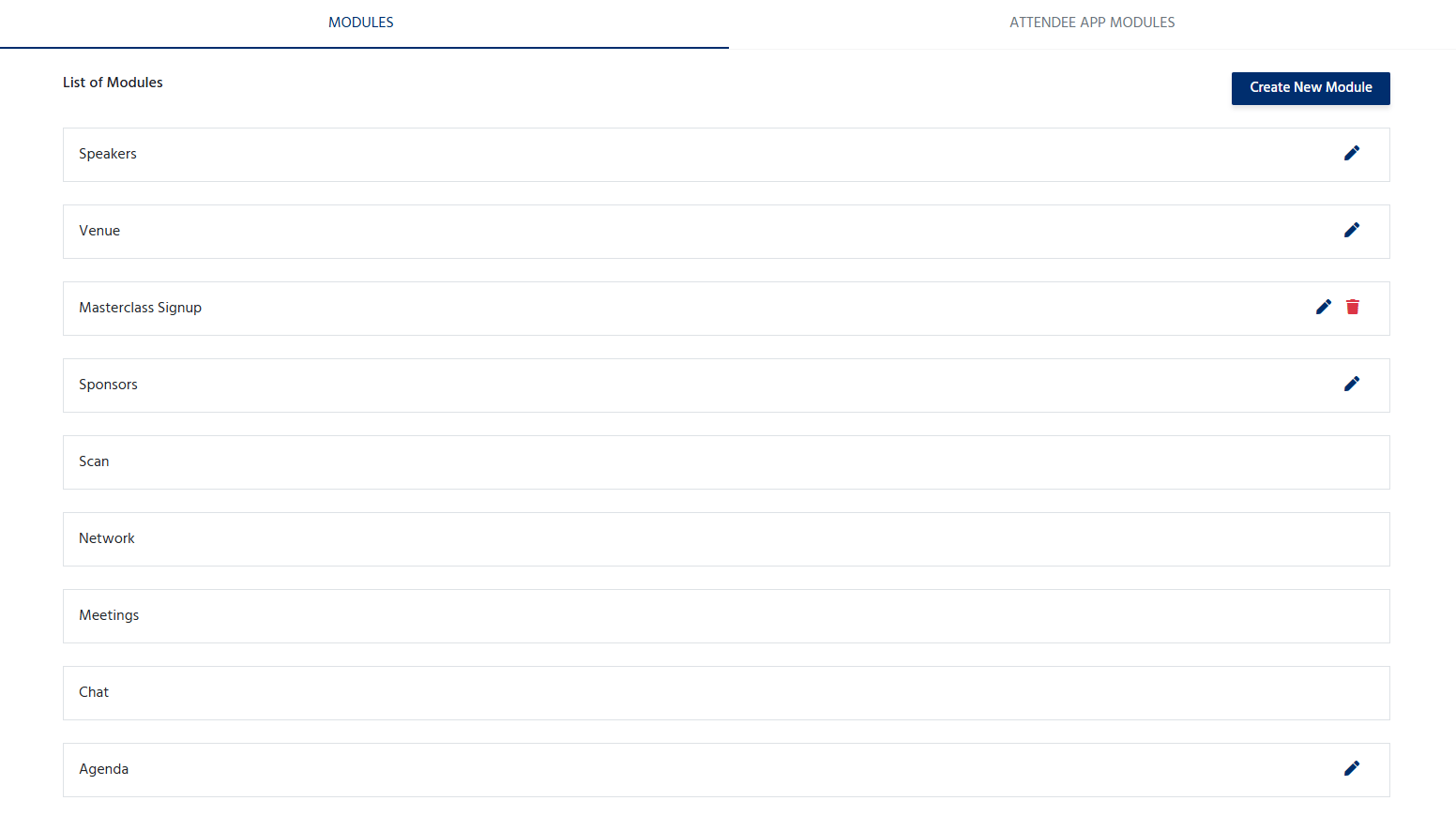
The **Modules** section allows organizers to customize the features and functionality available in the **KonfHub Attendee App**. By enabling or disabling modules, organizers can tailor the attendee experience based on the requirements of their event.
Modules control which sections are visible in the attendee app, ensuring participants have access to relevant event information and engagement features.
 ## Attendee App Modules
The **Attendee App Modules** section allows organizers to customize the features available in the KonfHub Attendee App. Organizers can choose which modules are displayed, control their visibility, and configure whether they are publicly accessible or available only to logged-in attendees.
### Module Controls
Each module includes the following configuration options:
### Reorder Modules
Use the **drag handle (⋮⋮)** beside each module to rearrange the order in which modules appear in the attendee app.
### Ticket-Level Visibility
The **Ticket** icon allows organizers to configure module visibility based on ticket types.
This feature enables organizers to:
* Display a module only to attendees holding specific ticket categories.
* Restrict premium content to selected ticket holders.
* Provide a personalized attendee experience based on ticket access.
### Private Module
The **Lock** icon indicates a **Private Module**.
Private modules:
* Are accessible only to attendees who have logged into the attendee app.
* Restrict access to registered participants.
* Help protect event-specific content and networking features.
### Public Module
Modules without the private restriction are considered **Public Modules** and can be viewed without attendee authentication, depending on the event's access settings.
### Remove Module
Click the **Remove (-)** icon to remove a module from the attendee app. Removing a module hides it from attendees but does not delete the underlying data.
## Attendee App Modules
The **Attendee App Modules** section allows organizers to customize the features available in the KonfHub Attendee App. Organizers can choose which modules are displayed, control their visibility, and configure whether they are publicly accessible or available only to logged-in attendees.
### Module Controls
Each module includes the following configuration options:
### Reorder Modules
Use the **drag handle (⋮⋮)** beside each module to rearrange the order in which modules appear in the attendee app.
### Ticket-Level Visibility
The **Ticket** icon allows organizers to configure module visibility based on ticket types.
This feature enables organizers to:
* Display a module only to attendees holding specific ticket categories.
* Restrict premium content to selected ticket holders.
* Provide a personalized attendee experience based on ticket access.
### Private Module
The **Lock** icon indicates a **Private Module**.
Private modules:
* Are accessible only to attendees who have logged into the attendee app.
* Restrict access to registered participants.
* Help protect event-specific content and networking features.
### Public Module
Modules without the private restriction are considered **Public Modules** and can be viewed without attendee authentication, depending on the event's access settings.
### Remove Module
Click the **Remove (-)** icon to remove a module from the attendee app. Removing a module hides it from attendees but does not delete the underlying data.
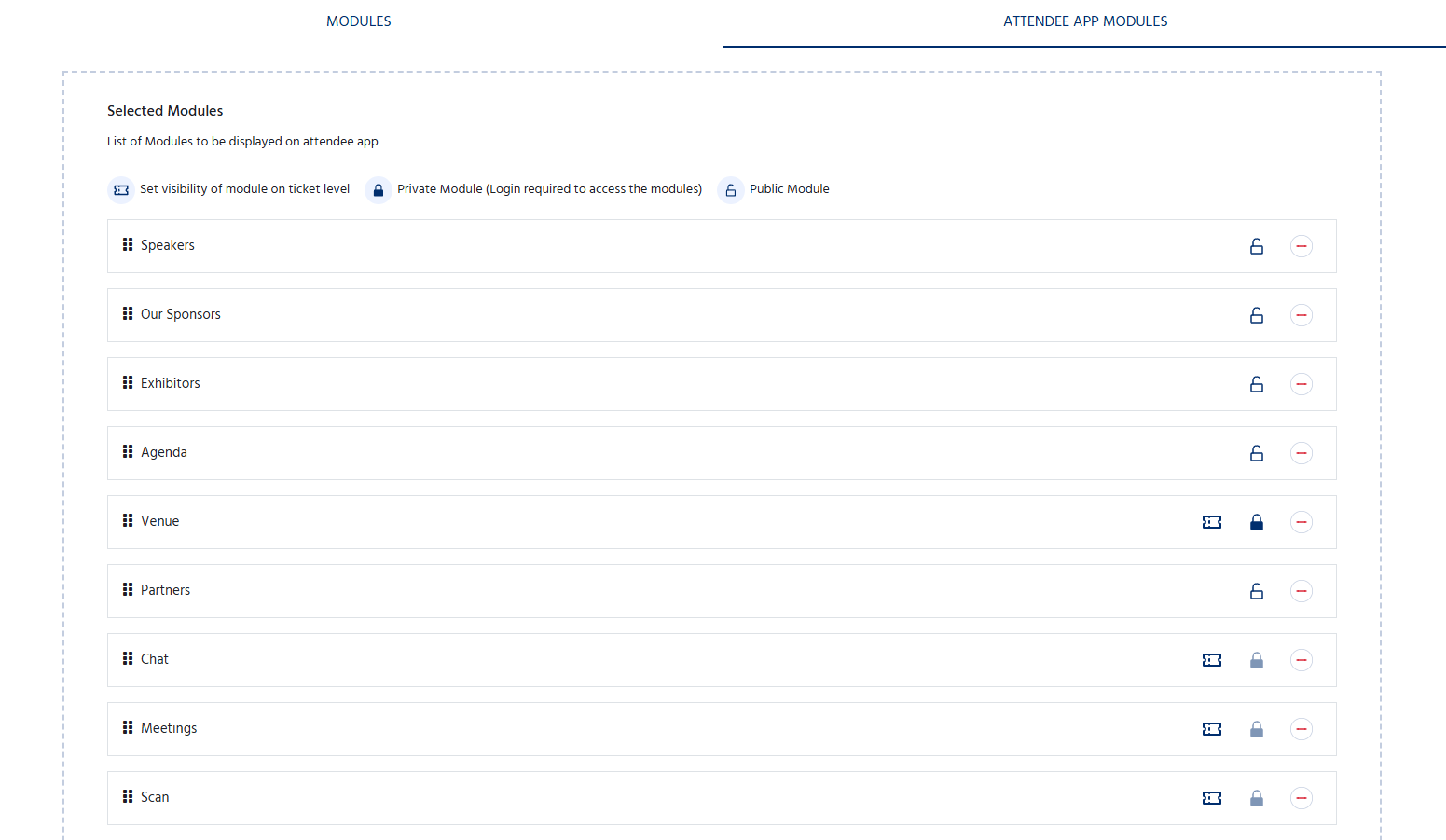 The **Attendee App Modules** section provides complete control over the attendee app experience, allowing organizers to customize module visibility, restrict access where necessary, and deliver a tailored event experience for different groups of attendees.