> ## Documentation Index
> Fetch the complete documentation index at: https://help.konfhub.com/llms.txt
> Use this file to discover all available pages before exploring further.
# Bank Details
> Add your bank account details to receive weekly ticket revenue settlements from KonfHub.
KonfHub collects ticket payments on your behalf and settles the revenue directly to your bank account on a weekly basis.
Navigate to **Event Dashboard → Payments & Taxes → Bank Details** to set this up.
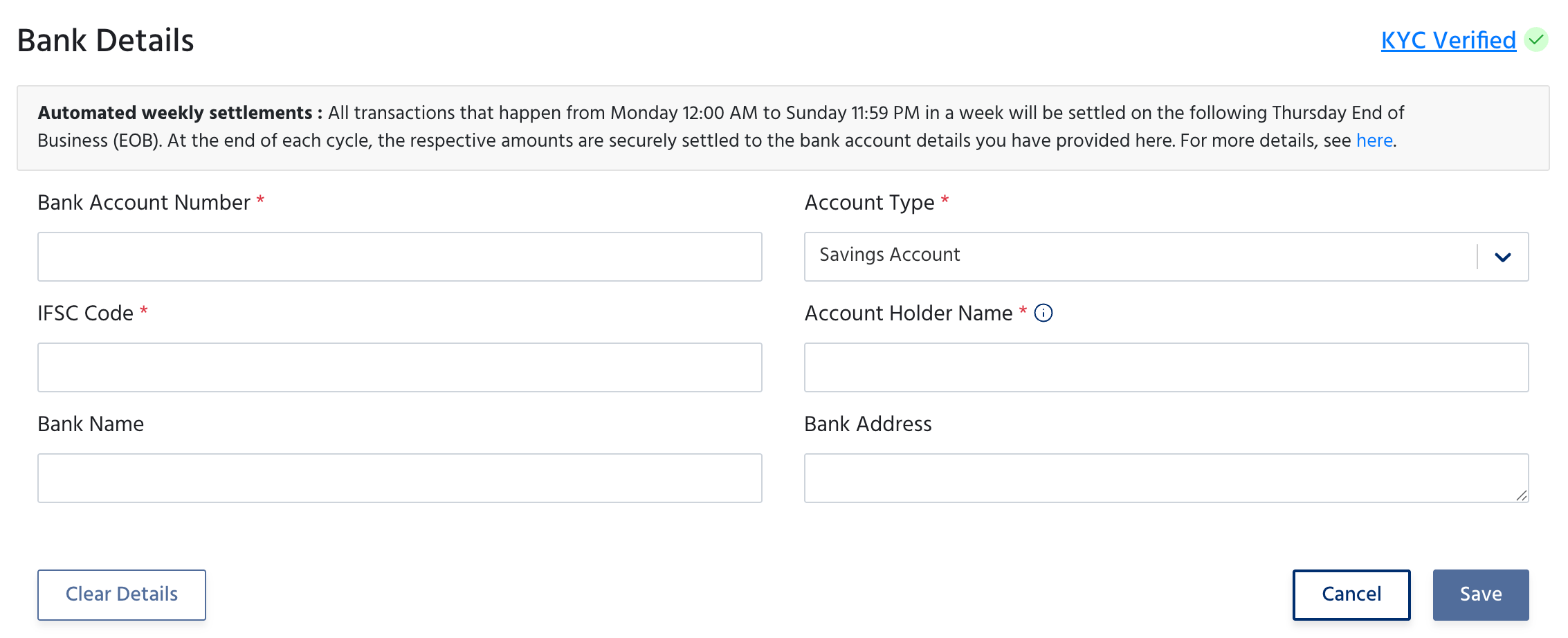
**Automated weekly settlements:** All transactions from Monday 12:00 AM to Sunday 11:59 PM are settled to your bank account on the following Thursday End of Business (EOB).
 ## Fields
| Field | Description |
| ----------------------- | ----------------------------------------------------------- |
| **Bank Account Number** | Your bank account number where settlements will be credited |
| **Account Type** | Savings Account or Current Account |
| **IFSC Code** | The IFSC code of your bank branch |
| **Account Holder Name** | Name of the account holder - must match your bank records |
| **Bank Name** | Name of your bank (optional but recommended) |
| **Bank Address** | Address of your bank branch (optional) |
Once verified, a **KYC Verified** badge appears at the top right. KYC verification is required before any paid ticket settlements can be processed.
Click **Save** to store your details, or **Clear Details** to reset the form.
Configure tax collection and processing fee settings.
Choose which payment methods attendees can use at checkout.
## Fields
| Field | Description |
| ----------------------- | ----------------------------------------------------------- |
| **Bank Account Number** | Your bank account number where settlements will be credited |
| **Account Type** | Savings Account or Current Account |
| **IFSC Code** | The IFSC code of your bank branch |
| **Account Holder Name** | Name of the account holder - must match your bank records |
| **Bank Name** | Name of your bank (optional but recommended) |
| **Bank Address** | Address of your bank branch (optional) |
Once verified, a **KYC Verified** badge appears at the top right. KYC verification is required before any paid ticket settlements can be processed.
Click **Save** to store your details, or **Clear Details** to reset the form.
Configure tax collection and processing fee settings.
Choose which payment methods attendees can use at checkout.