Step 1: Go to KonfHub
Visit konfhub.com and click Host an Event in the top navigation.

If you are not logged in, clicking Host an Event will redirect you to the Sign In page automatically.
Step 2: Sign In or Sign Up
Already have an account? Sign In
On the Sign In page, choose how you want to log in:
- Google, Facebook, LinkedIn, or Amazon - click the respective button for one-click login via your existing account
- Email + Password - enter your registered email and password, then click Sign In
- Email OTP - click Sign in with Email OTP to receive a one-time password in your inbox instead of using a password
New to KonfHub? Sign Up
If you don’t have an account yet, click Sign Up at the bottom of the Sign In page.Step 3: Fill in the Create Event Form
Once signed in, you will be taken to the Create Event form. Fill in the following details: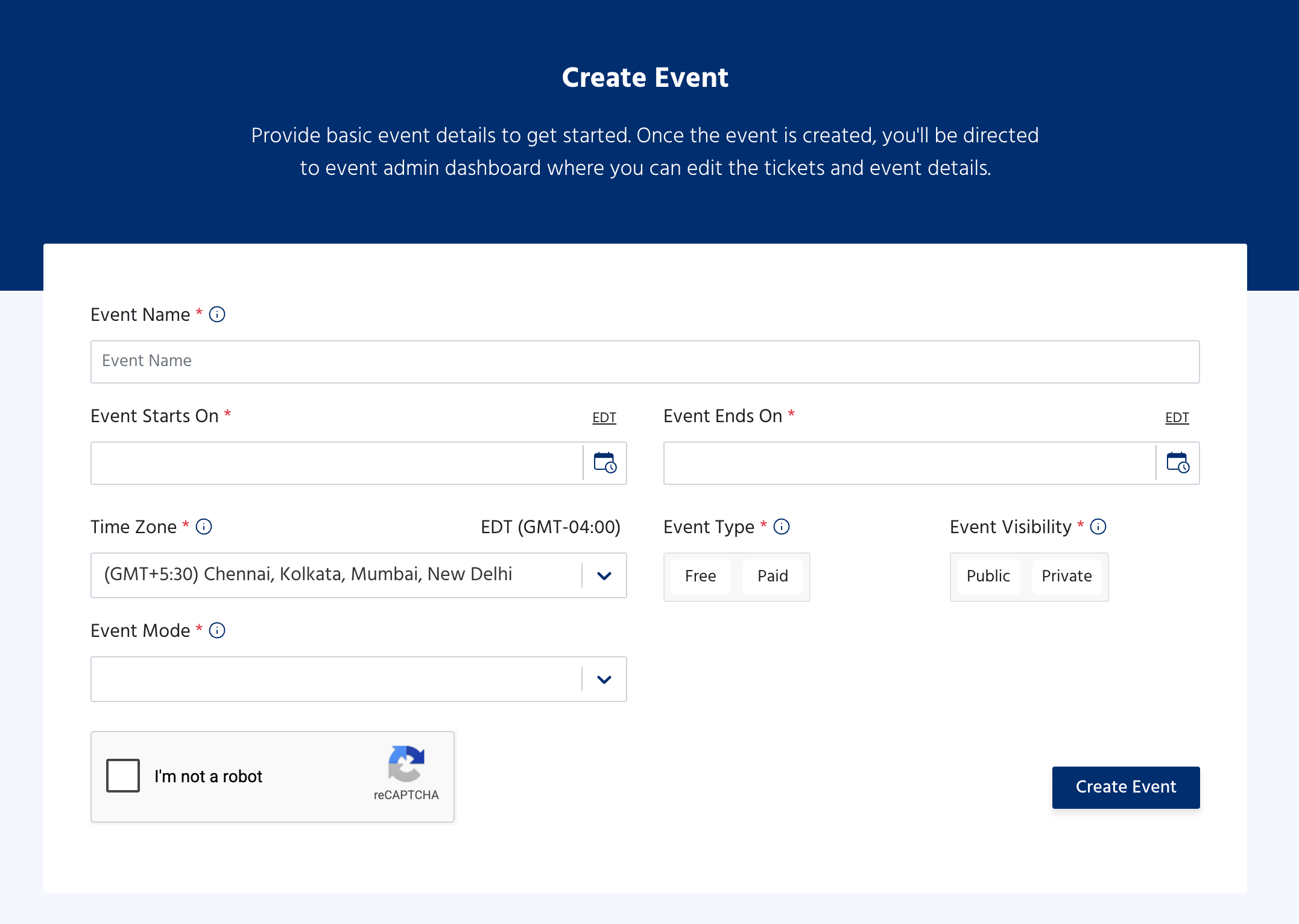
Once all fields are filled, check the I’m not a robot reCAPTCHA and click Create Event.
Step 4: You’re In - Welcome to the Event Dashboard
After clicking Create Event, you are taken directly to your Event Dashboard. This is your central hub for managing everything about your event.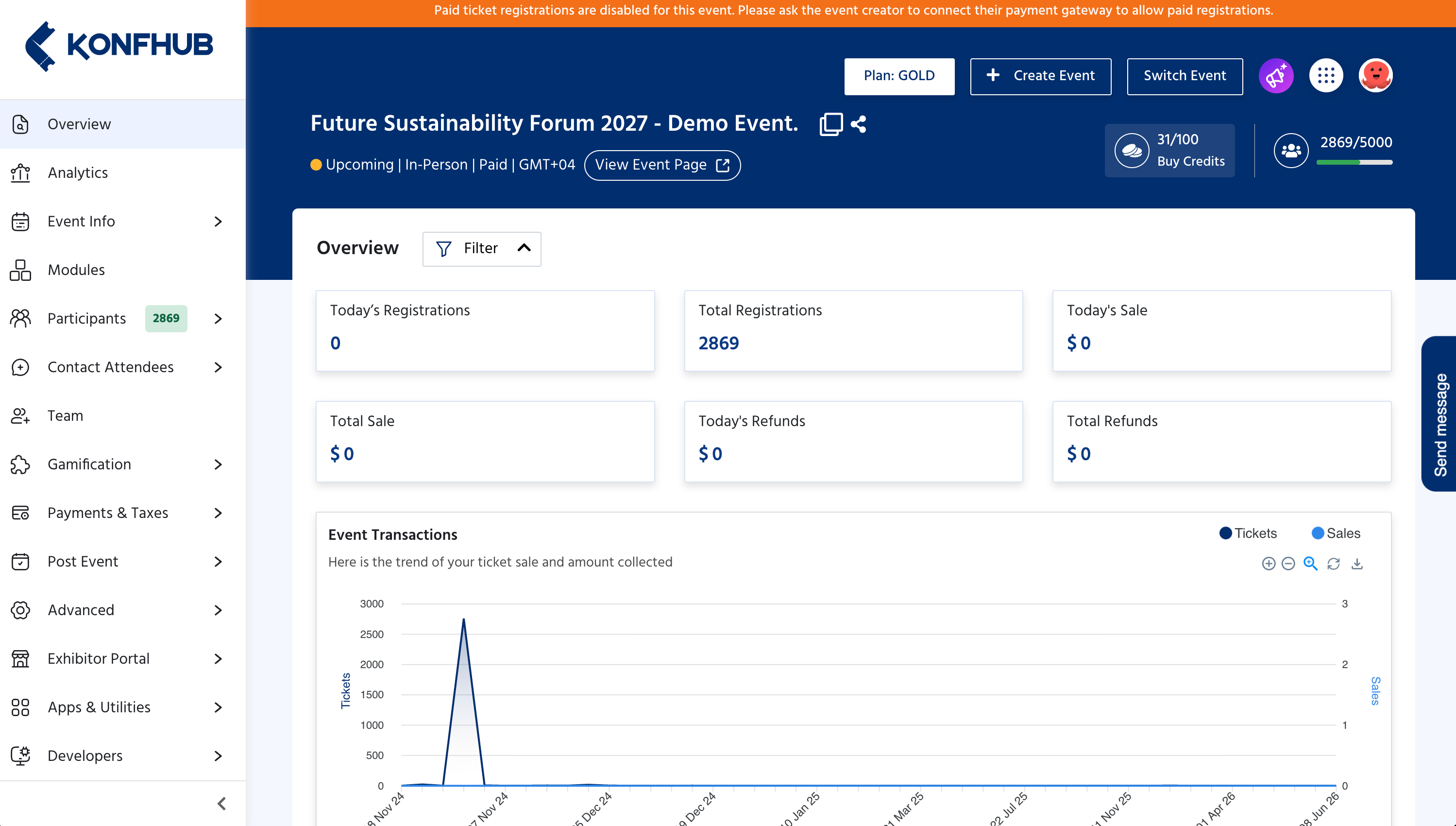
- Add your event description, banner, agenda, and speakers under Event Info
- Set up ticket types and pricing
- Configure your registration form
- Manage participants, team members, and communications
- Access apps, integrations, and advanced settings
Next Steps
Now that your event is created, explore the Event Dashboard to complete your setup:Overview
Get familiar with your event dashboard - registrations, sales, and activity at a glance.
Event Info
Add your event description, banner image, venue details, agenda, and speakers.
Participants
View and manage your registered attendees, approvals, and waitlist.
Contact Attendees
Send email campaigns, WhatsApp messages, and SMS to your registered participants.