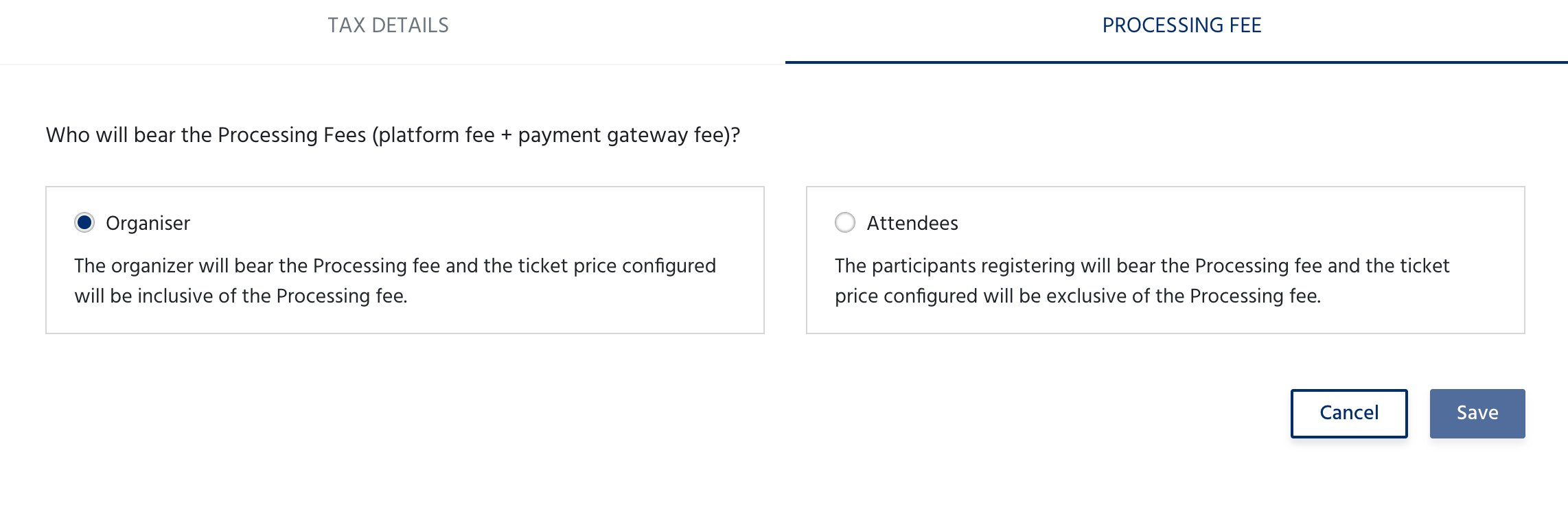
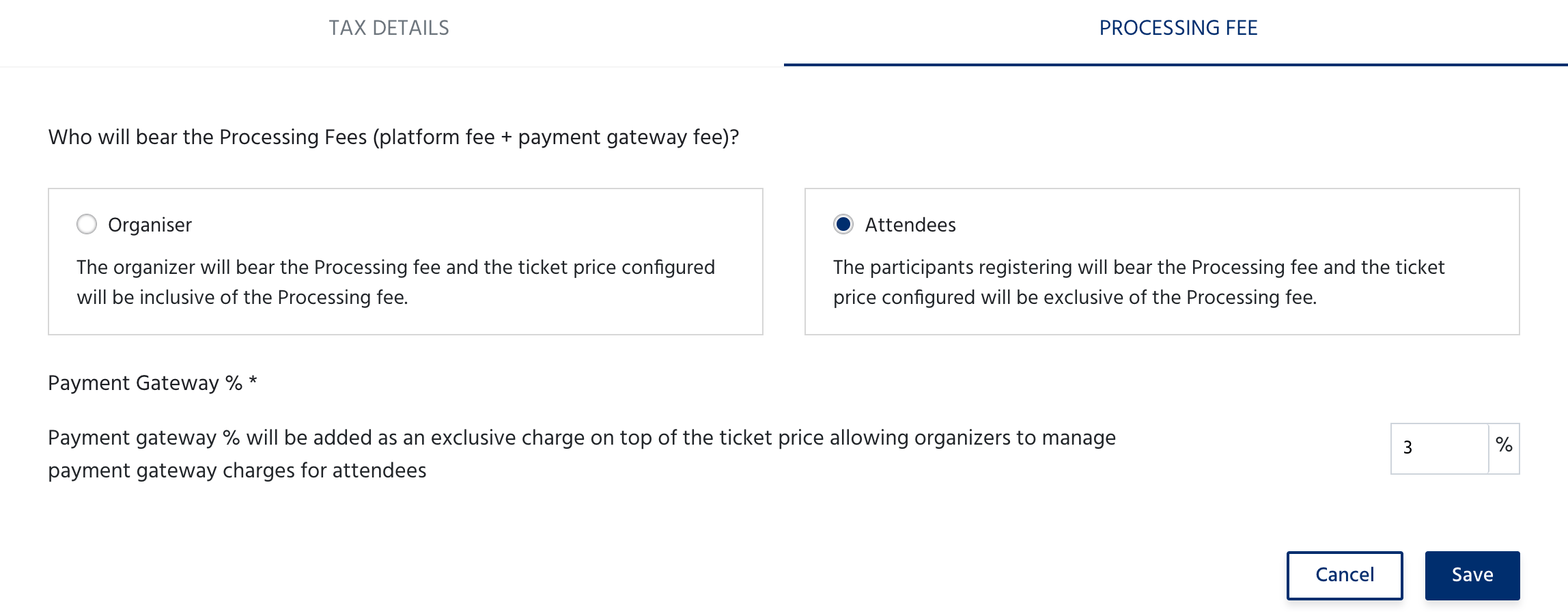
The Tax & Charges page controls whether you collect tax from attendees and who bears the processing fees. It has two tabs: Tax Details and Processing Fee. Navigate to Event Dashboard → Payments & Taxes → Tax & Charges to access this section.

Tax Details

If you do not want to collect tax
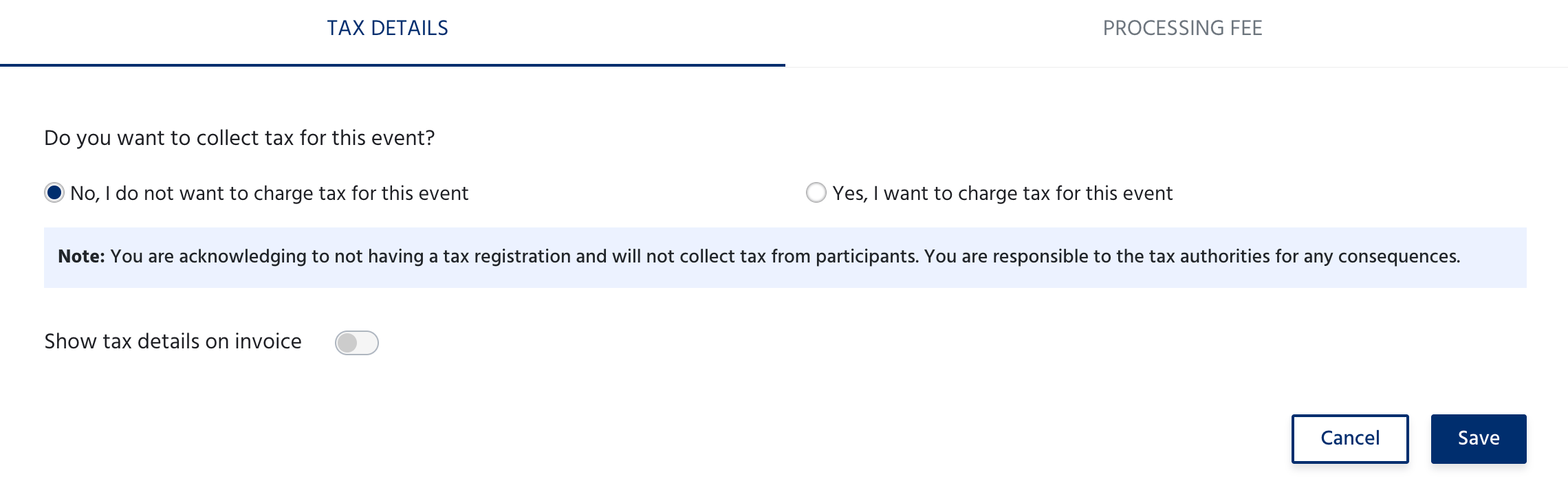
Screenshot 2026 06 25 At 14 41 45 Select No, I do not want to charge tax for this event. No tax will be added to ticket prices.
By selecting this, you acknowledge that you do not have a tax registration and will not collect tax from participants. You are responsible to the tax authorities for any consequences.
Toggle Show tax details on invoice if you still want tax-related fields to appear on attendee invoices.

If you want to collect tax

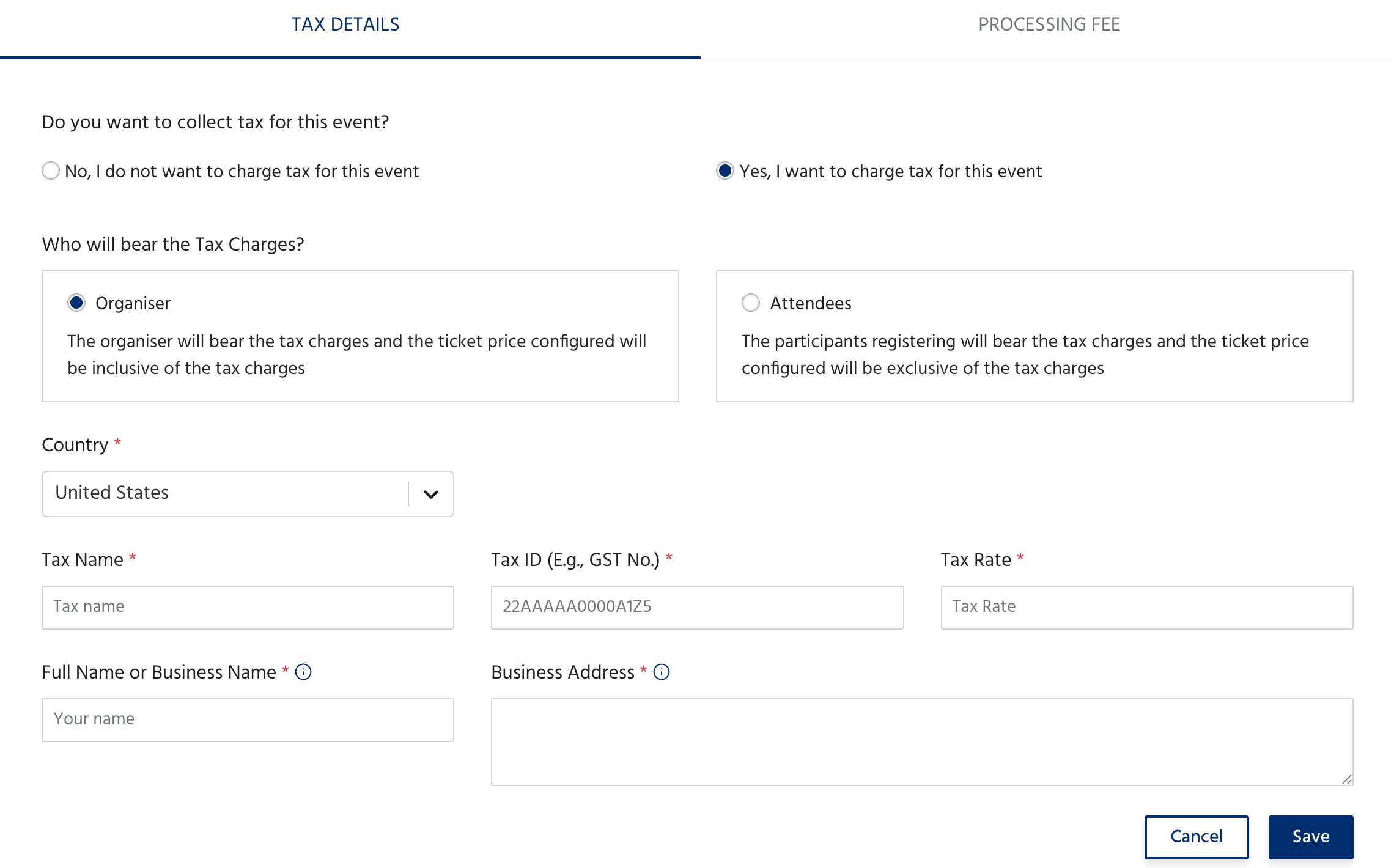
Select Yes, I want to charge tax for this event. Additional fields appear to configure your tax details. Screenshot 2026 06 25 At 14 42 05 Click Save to apply, or Cancel to discard.
Processing Fee

Choose who bears the platform fee and payment gateway fee. Screenshot 2026 06 25 At 14 42 25 If you select Attendees, a Payment Gateway % field appears. Screenshot 2026 06 25 At 14 43 10 Enter the percentage your payment gateway charges - this will be added as an exclusive charge on top of the ticket price at checkout, allowing you to pass the gateway cost on to attendees. Click Save to apply your selection.