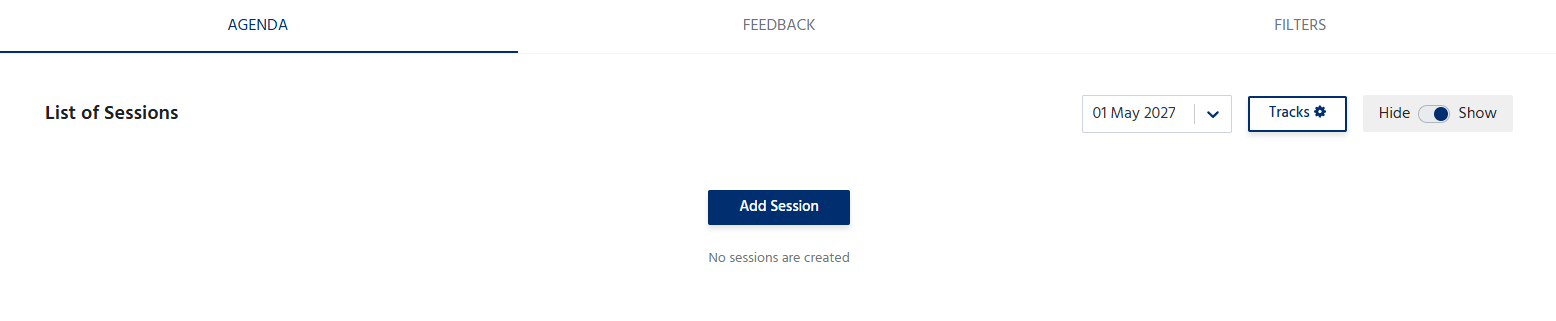
Add an Agenda Item
To add a session or agenda item:- Click Add Agenda.
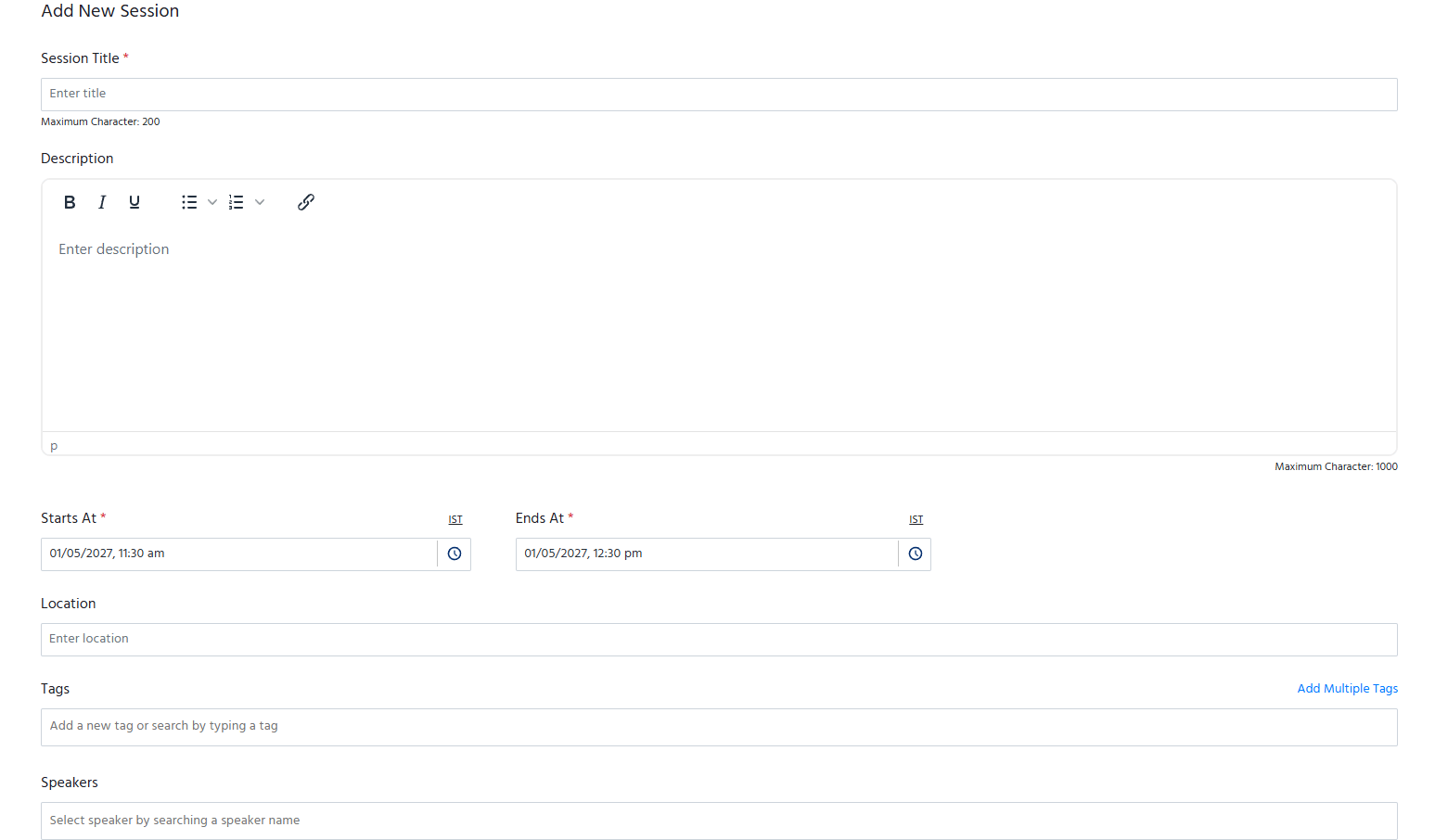
- Enter the required details, such as:
- Session Title – Name of the session or activity.
- Date – Select the date of the session.
- Start Time and End Time – Specify the session duration.
- Speaker(s) – Assign one or more speakers to the session (if applicable).
- Location/Stage – Specify the venue, hall, room, or virtual stage.
- Description – Provide a brief overview of the session, including its objectives or key topics.
- Save the agenda item to include it in the event schedule.
Manage the Agenda
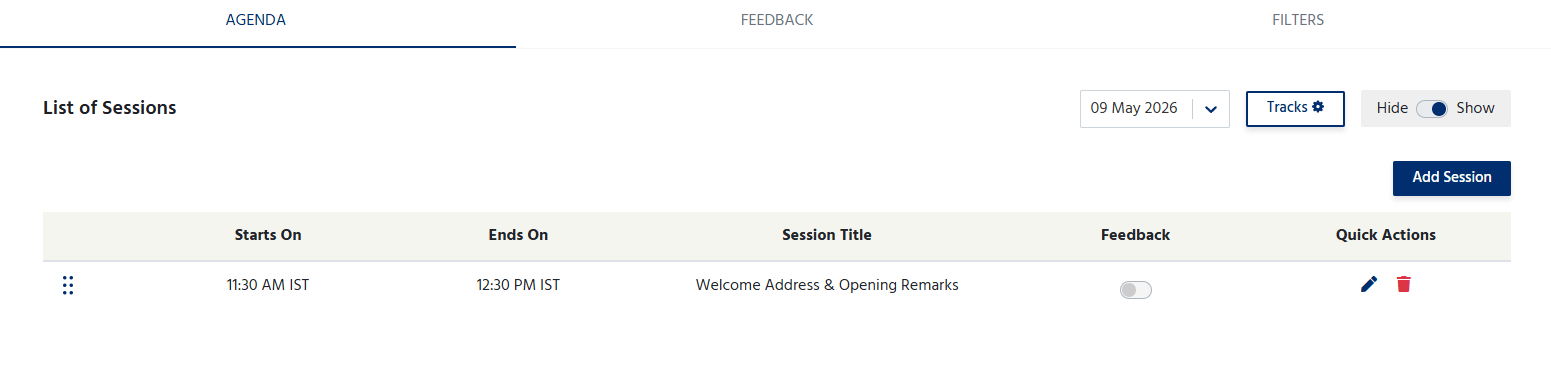
The Agenda section allows organizers to:- Add multiple sessions or activities.
- Edit session details at any time.
- Delete sessions that are no longer required.
- Arrange sessions in chronological order.
- Update the schedule as the event plan evolves.
- You can even decide to hide or show the agenda on your event page.
Session Feedback
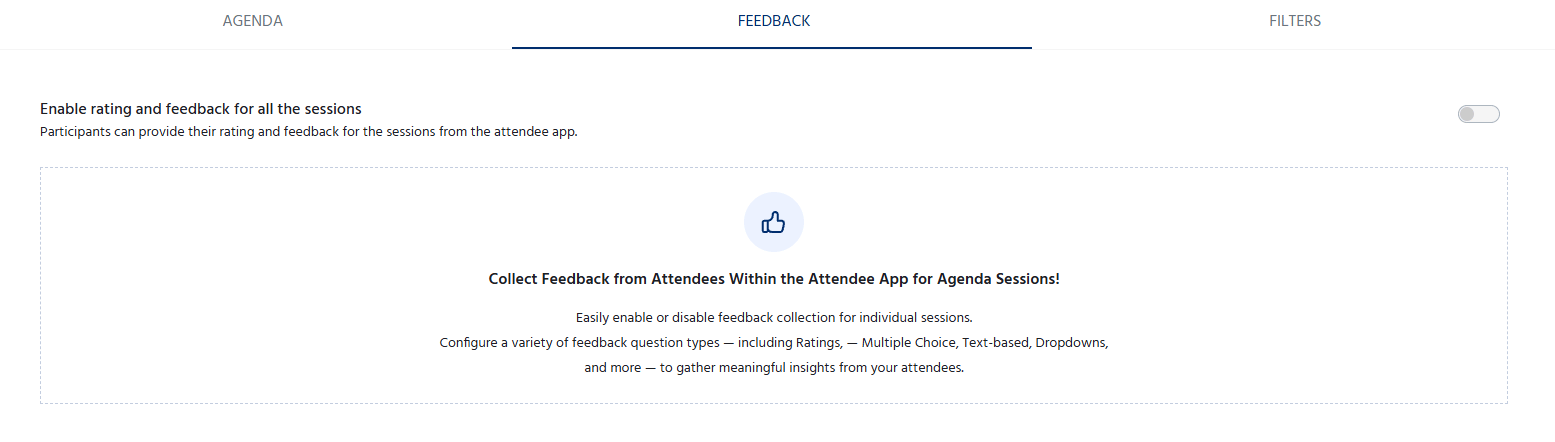
To allow attendees to submit feedback:
- Navigate to Agenda > Feedback.
- Turn on the Enable Rating and Feedback toggle.