Create a Coupon
To create a new coupon:- Click Create Coupon.
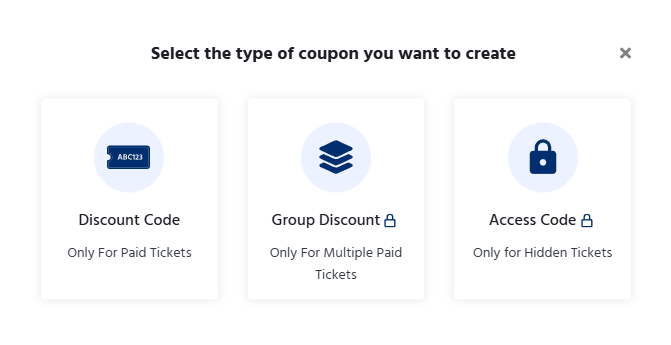
- First select the type of coupon you want to create.
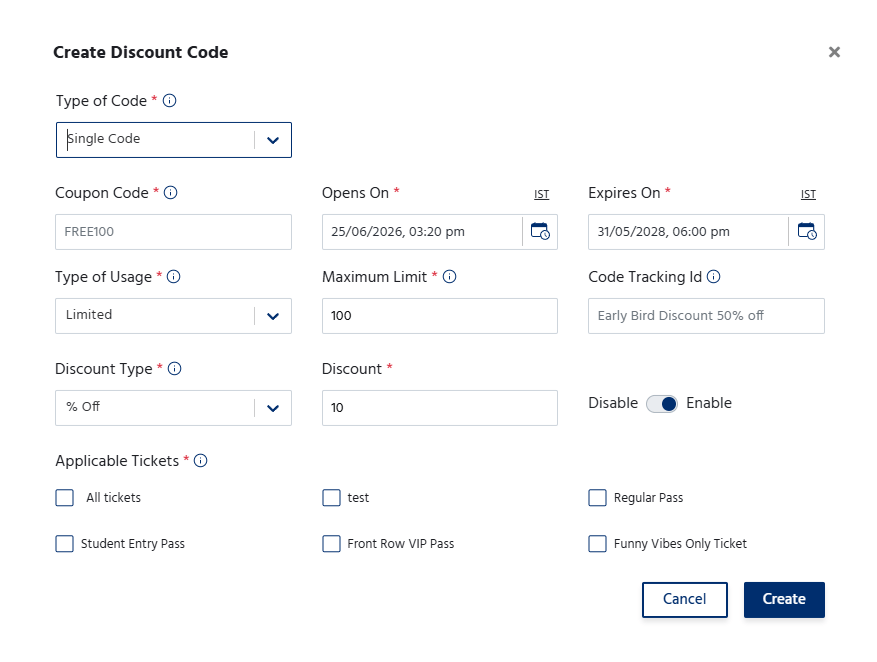
- Enter a unique Coupon Code that participants will use during checkout.
- Select the Discount Type:
- Flat Discount – Deducts a fixed amount from the ticket price.
- Percentage Discount – Applies a percentage-based discount to the ticket price.
- Specify the Discount Value.
- Configure the coupon settings, such as:
- Applicable ticket(s)
- Usage limit (maximum number of redemptions)
- Coupon validity period (start and expiry dates)
- Minimum purchase amount (if applicable)
- Save the coupon to make it available for participants.
Coupon Management
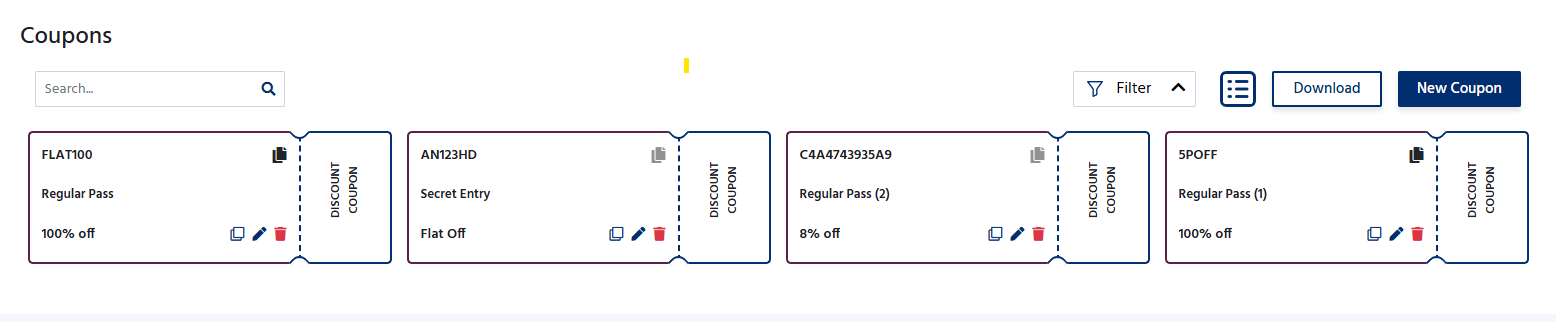
The Coupons page displays all created coupons along with their details. From this section, organizers can:- View all active and inactive coupons.
- Edit existing coupon details.
- Enable or disable coupons.
- Track the number of times each coupon has been used.
- Delete coupons that are no longer required.
Applying a Coupon
Using coupons helps organizers promote early registrations. Offer exclusive discounts to sponsors, partners, or members.